

Introduction to Timer Functions in Siemens LOGO! PLC Programming

Introduction
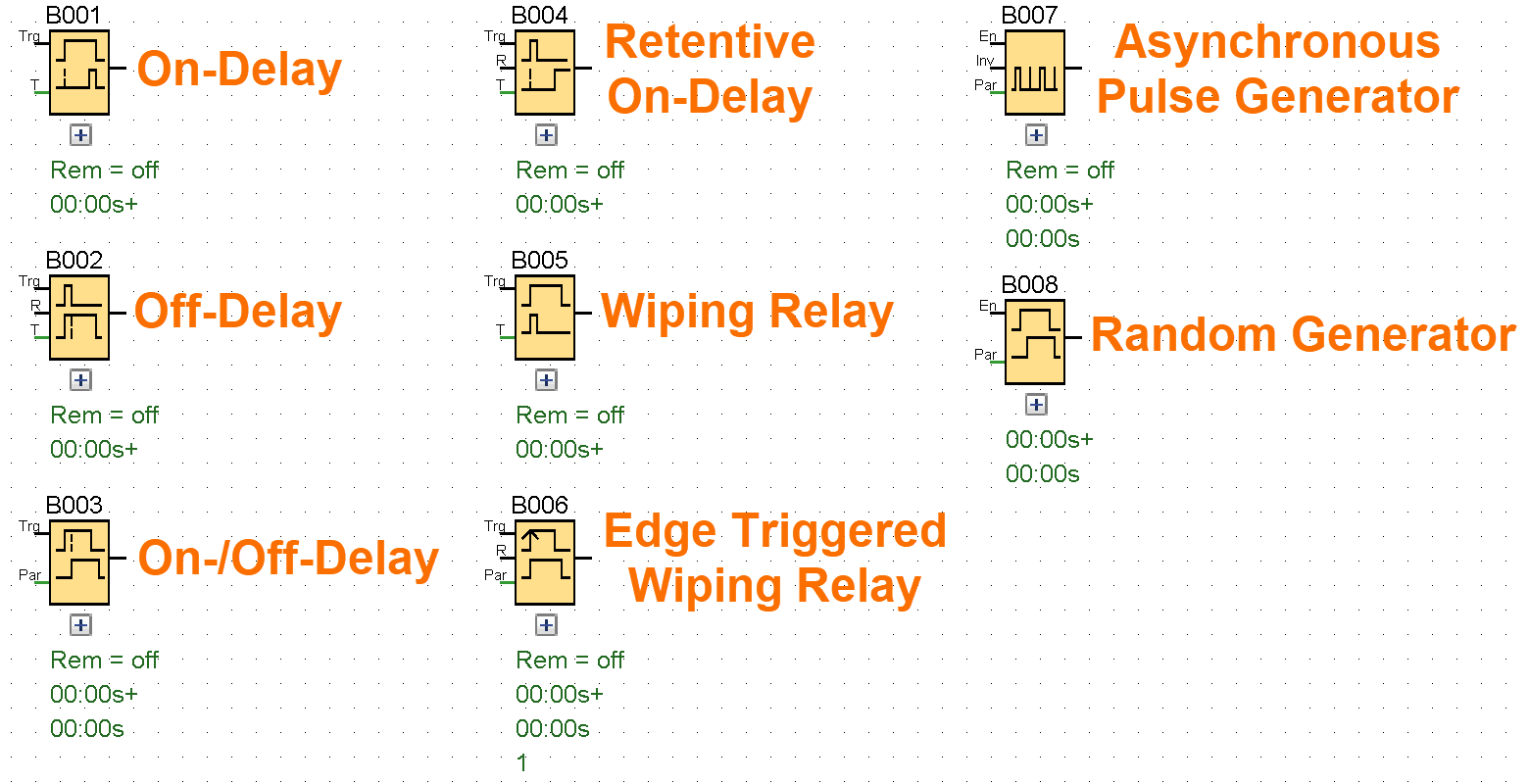
Proficiency with timer functions in Siemens LOGO PLCs is essential for developing efficient industrial control systems. Why? Because LOGO is applicable across small machines and medium-scale processes. These timer functions determine device responses to inputs by introducing action delays, maintaining output states, or generating accurate timing pulses. This tutorial examines core LOGO timer blocks, detailing their operational logic, practical applications, and configuration specifics. Understanding these principles enables engineers to refine process timing, diagnose timing-related faults, and implement adaptable automation. You will explore these fundamental components for managing time-dependent behaviors in control systems.
Prerequisites
Before proceeding, ensure basic familiarity with Siemens LOGO! Soft Comfort. Review "How to Get Started with Siemens LOGO! Soft Comfort" for software setup and basic programming, and "Getting Started with Simulating Circuit Programs in Siemens LOGO!" to master simulation tools. These articles ensure you can apply timer blocks and test designs effectively.
On-Delay Timer
The Trigger input activates the on-delay timer's countdown sequence. The T parameter sets how long the delay lasts before the output turns on. If you turn on retentivity, the system remembers the status in memory. The Q output turns on after the set time 'T' runs out, as long as the Trigger input stays active.
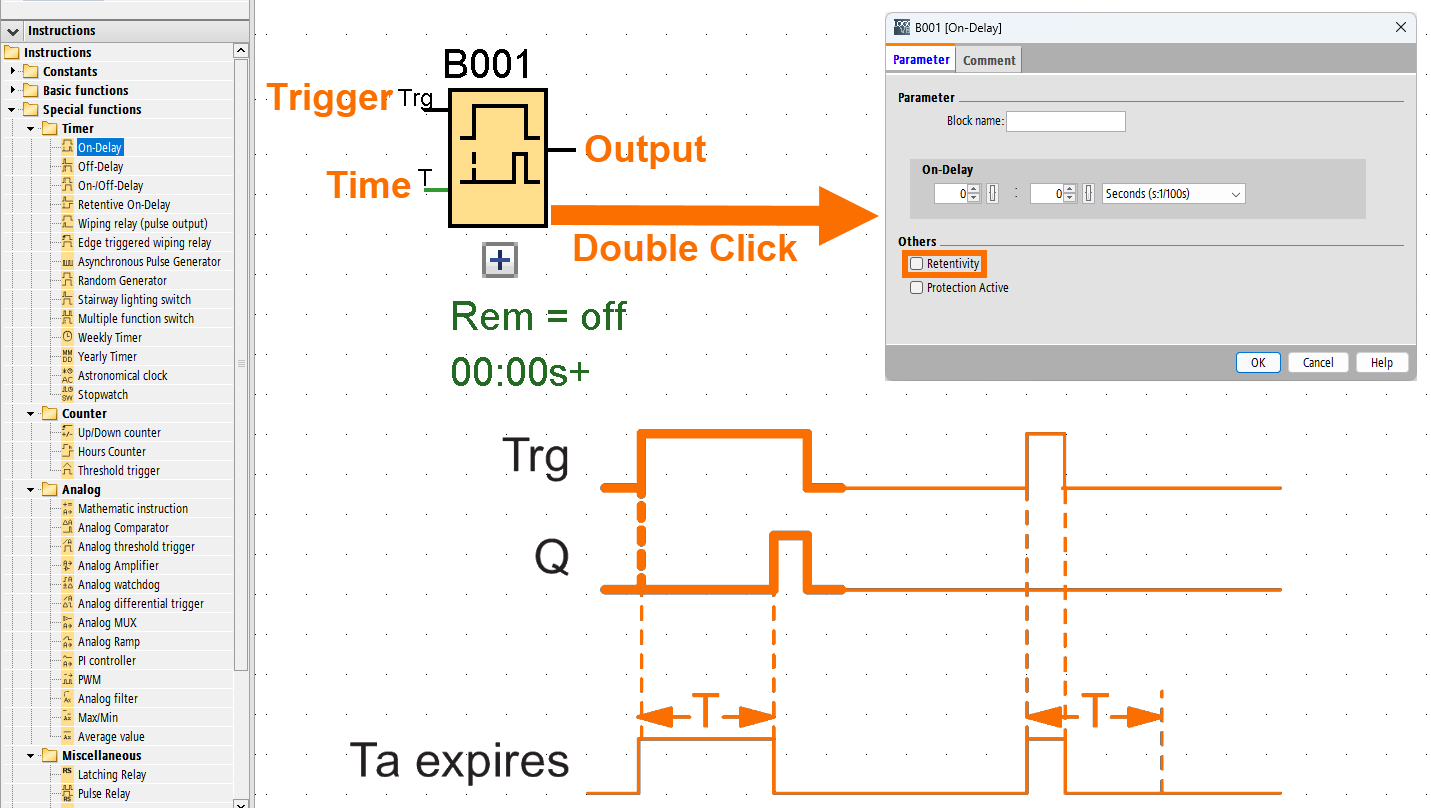
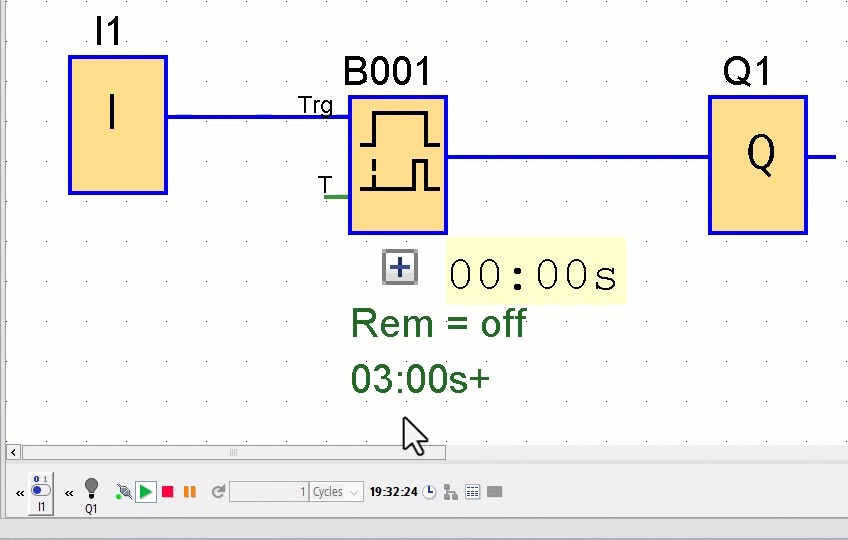
The timer T kicks off once the Trigger input jumps from 0 to 1. The output will be set to 1 after time T ends, but only if the Trigger input has remained at 1 for the entire configured time (The output ON state lags behind the input's ON signal by a set delay time). When the Trigger input drops to 0, the output gets reset back to 0.
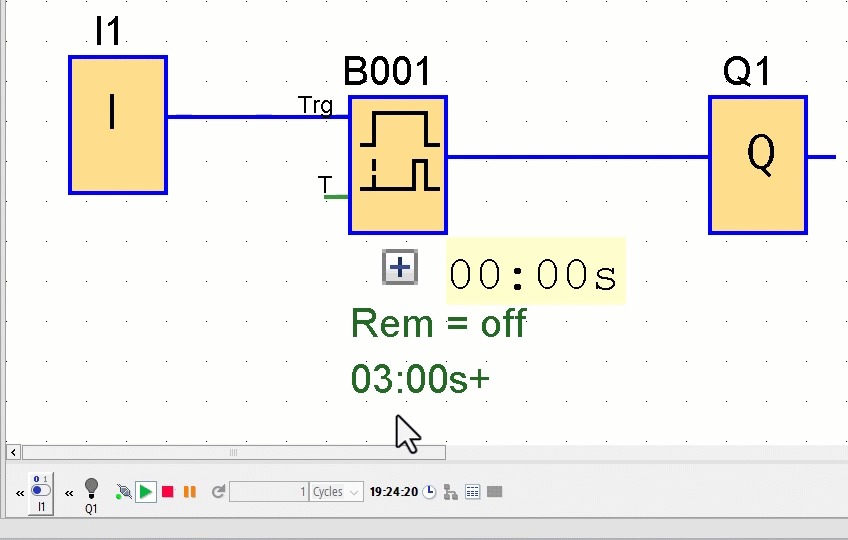
If the status of the Trigger input drops to 0 before time T ends, the timing process resets.
Off-Delay Timer
The off-delay timing cycle initiates upon a falling edge at the Trigger input, defined as a transition from high logic (1) to low (0). The off-delay time is cleared, and the output is turned off when the Reset input is used. It overrides the Trigger input signal. When the delay time T ends, the output will be turned off automatically. If you turn on retentivity, the system remembers the status in memory. Once a trigger occurs at the Trigger input, the Q output will stay on for time T.
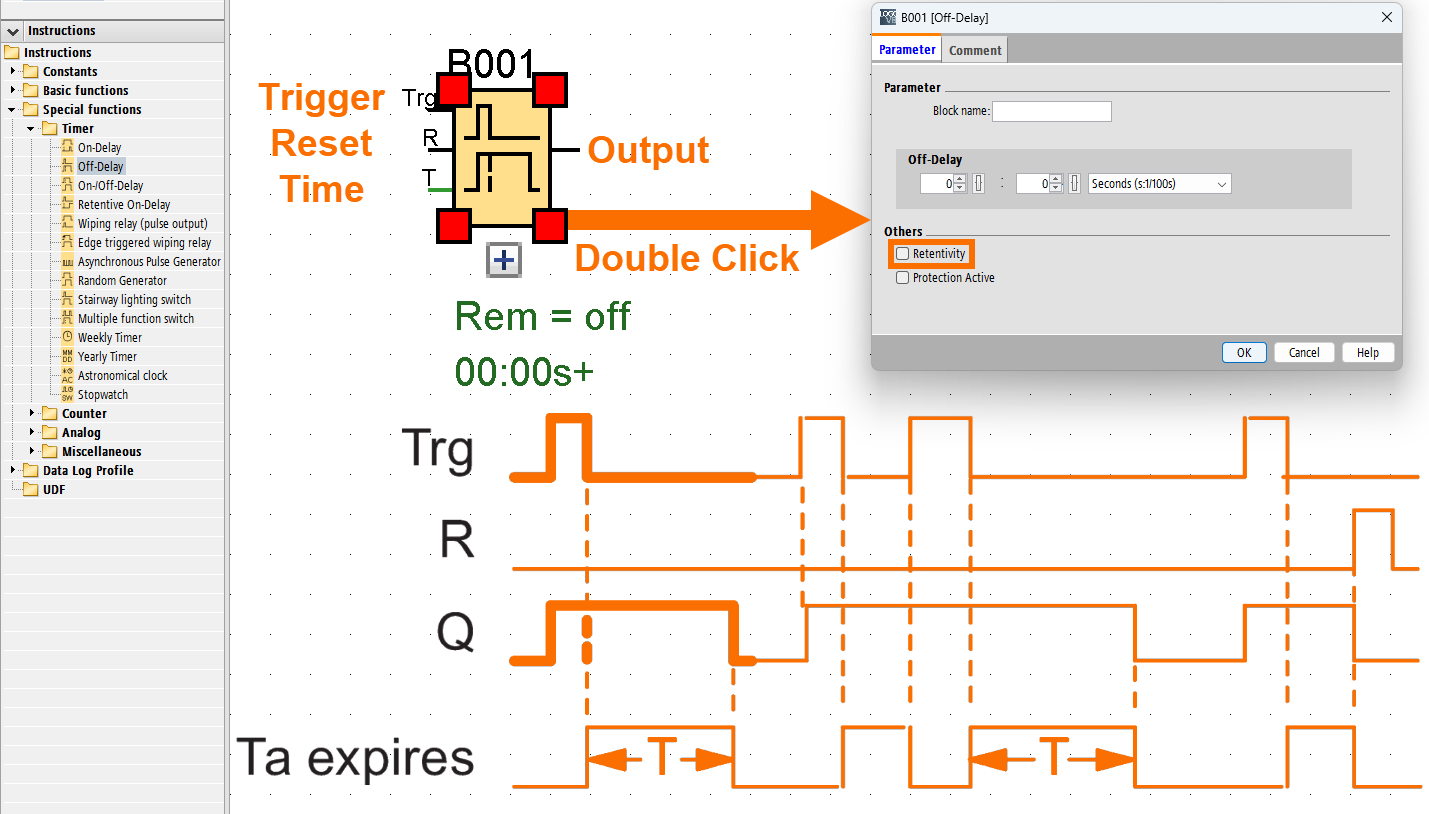
When the Trigger input rises from 0 to 1, the output activates without delay. The LOGO restarts the countdown for time T when the Trigger input goes from 1 to 0, keeping the Q output active. When T reaches its set value, the output is turned off automatically.
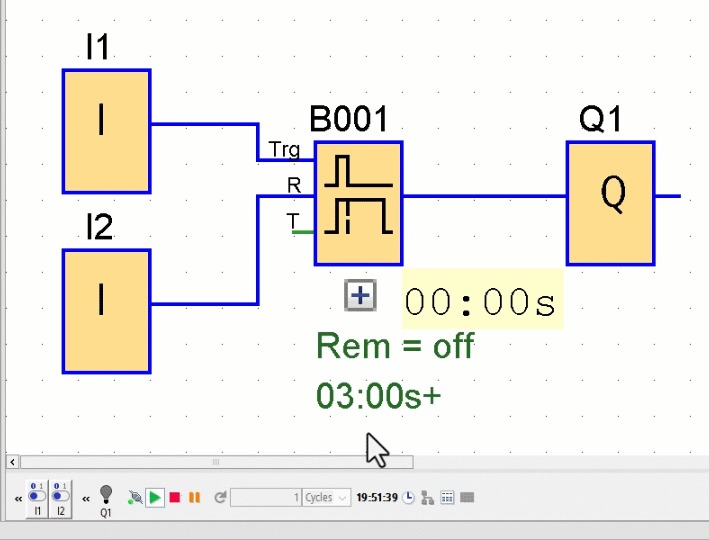
When the Trigger input gets a one-shot signal, the timer kicks off again.
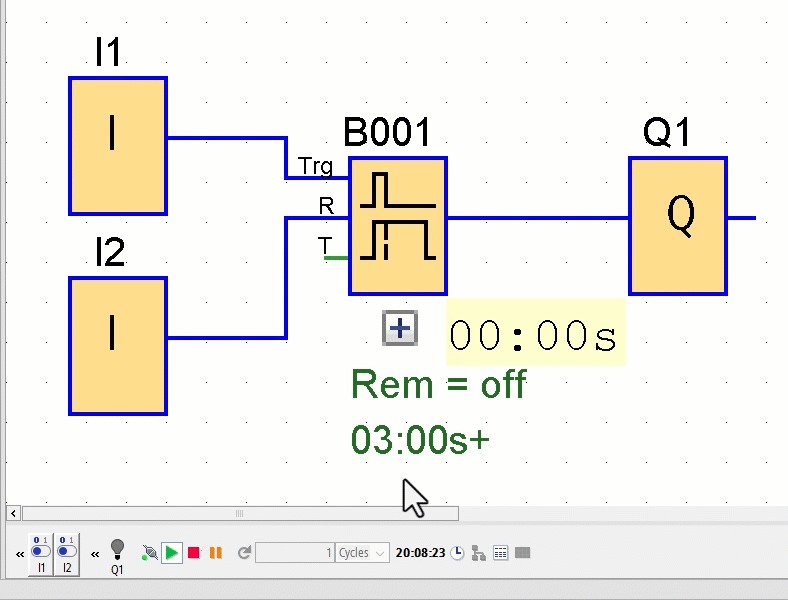
Activating the Reset input before time T expires will clear both the timer and the output.
On-/Off-Delay Timer
You activate the on-delay by sending a positive edge (going from 0 to 1) to the Trigger input. On the other hand, the off-delay starts with a negative edge from 1 to 0. The TH defines how long the output waits before activating, while the TL sets how long the output stays on before turning off. If you turn on retentivity, the system remembers the status in memory. The Q output turns on after time TH has finished counting, as long as the Trigger is still active. The output deactivates after the preset time TL elapses, but only if the Trigger input remains inactive throughout the entire timing interval.
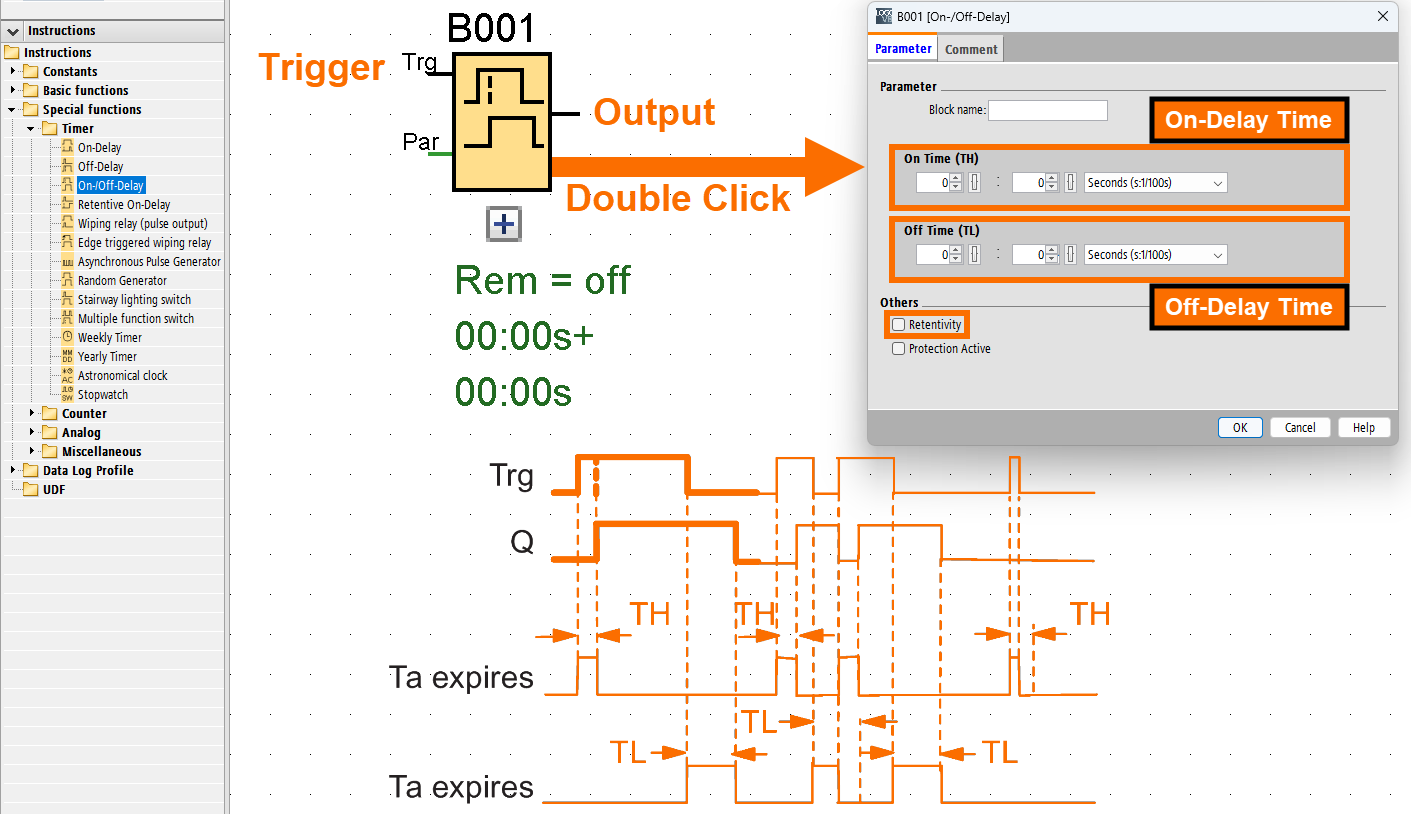
Once the Trigger input changes from 0 to 1, the on-delay time (TH) begins. When the Trigger input remains high for the entire duration of TH, LOGO responds by turning the output on after the delay finishes, meaning the output turns on a bit later than the input.
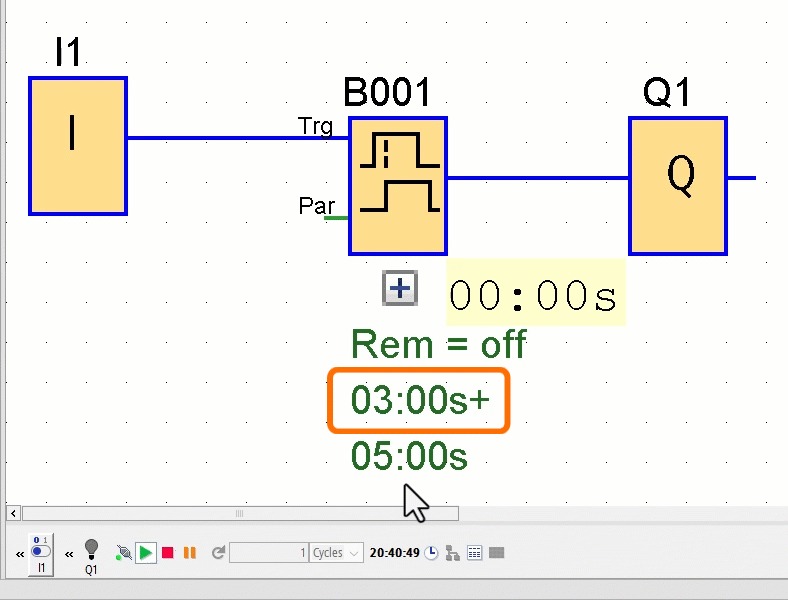
If the Trigger input changes to 0 before the TH delay ends, the timer cancels the countdown and resets completely.
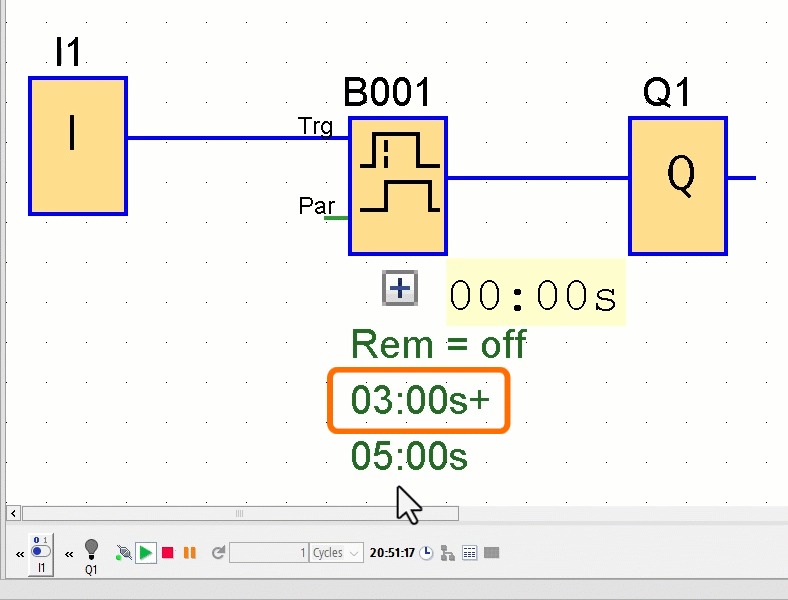
The TL delay starts counting when the Trigger input changes from high to low. The output resets to 0 after the TL expires, but only if the Trigger input has remained continuously at 0 throughout the delay. This behavior reflects an off-delay based on the input signal.
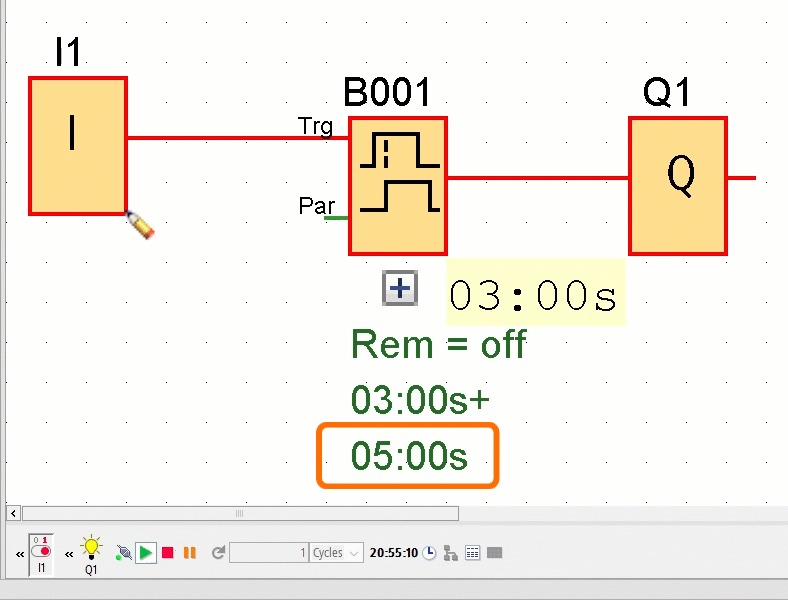
When the Trigger input changes back to 1 before the TL delay ends, the countdown is interrupted and reset.
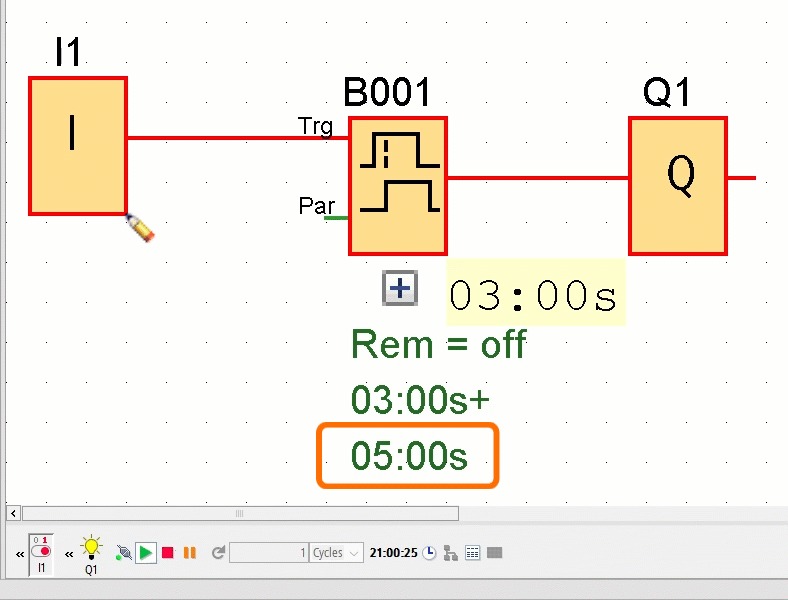
Retentive On-Delay Timer
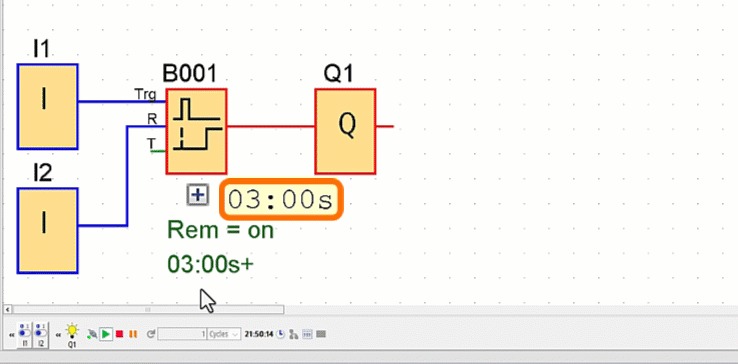
The Trigger input is used to start the on-delay time. By activating the Reset input, you can stop the on-delay countdown and force the output to 0. This action has higher priority than any Trigger signal. T stands for the on-delay time, which controls when the output will turn on after a trigger. When the timer reaches the end of T, the Q output becomes active.
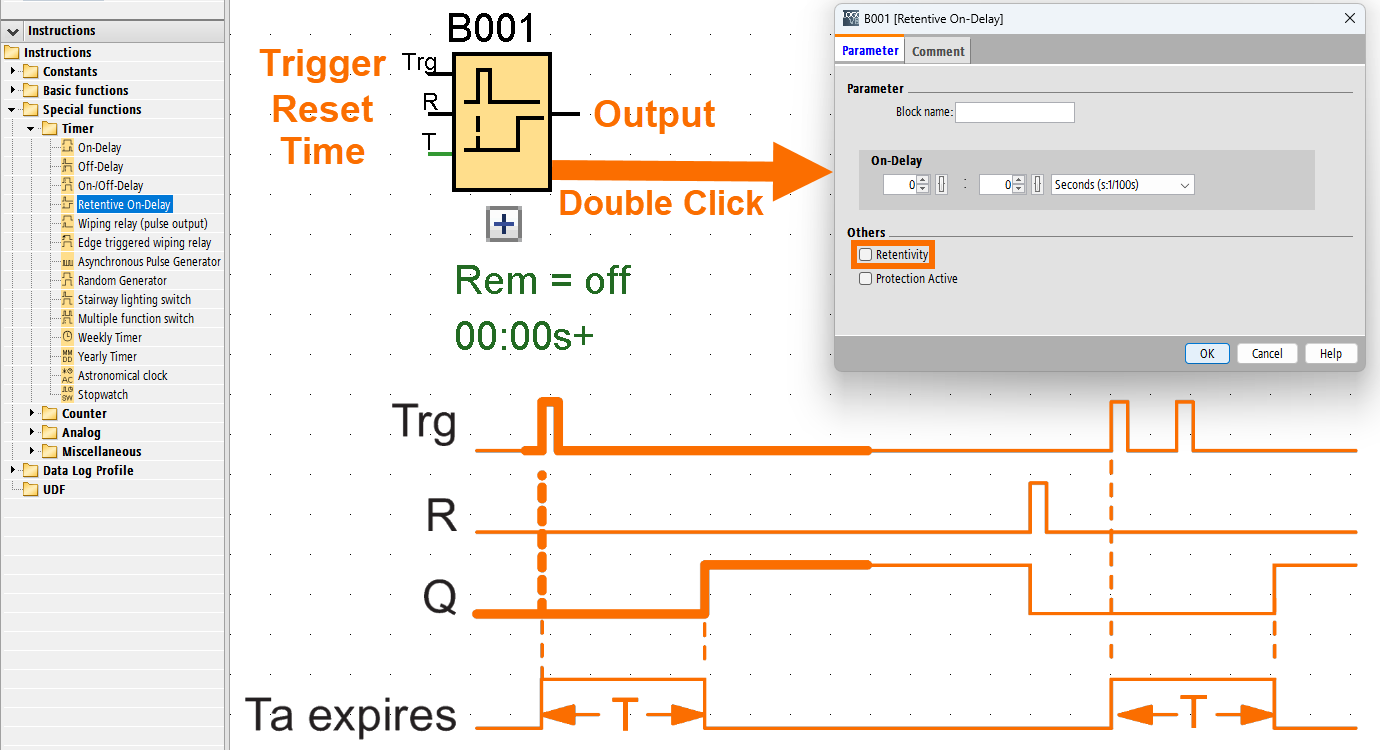
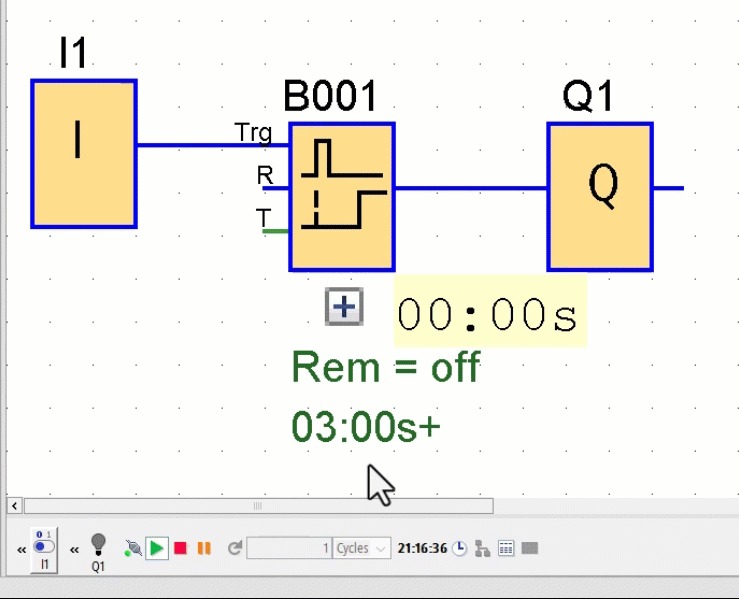
When the Trigger input receives a one-shot signal, the timer starts the configured delay time. After this delay, the LOGO enables the output signal.
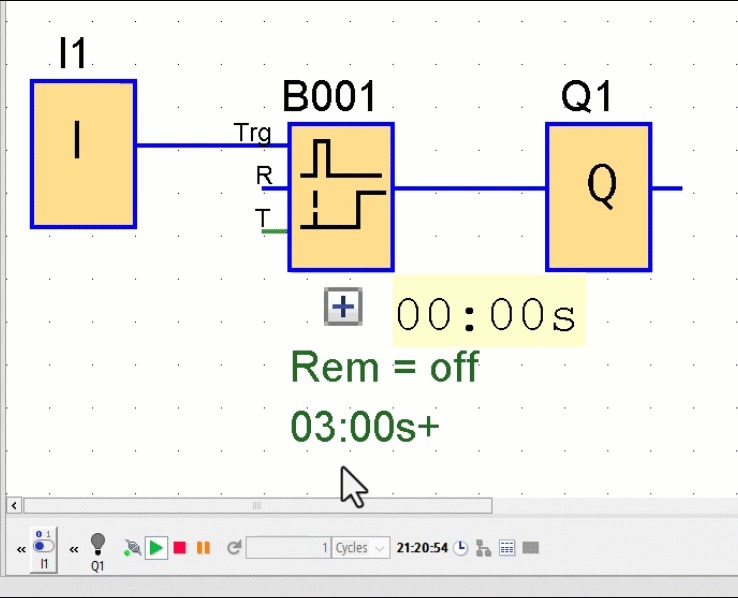
Time T continues to run unaffected, even if another pulse hits the Trigger input during that period.
Only when the Reset input receives a signal of 1 will time T and the output return to zero.
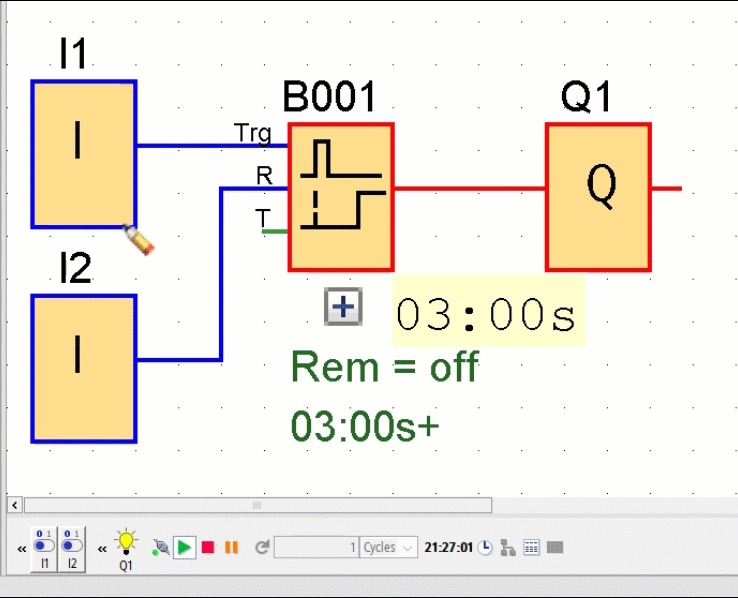
Failing to activate retentivity means the Q output and timer value won't be saved if the power goes off.
Pulse Timer (Wiping Relay)
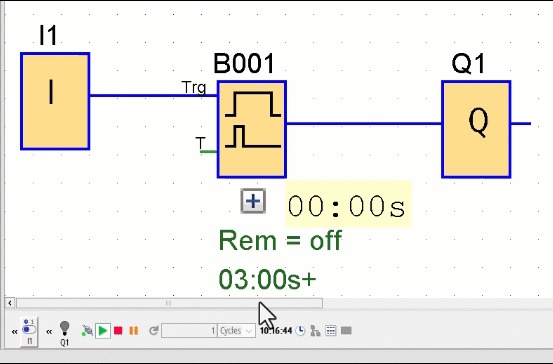
Once an input signal is received, it produces an output signal for a time you can configure. You can apply a high signal to the Trigger input terminal to activate the wiping relay’s time function. The timer value T determines when the output automatically resets back to zero. If you turn on retentivity, the LOGO remembers the status in memory.
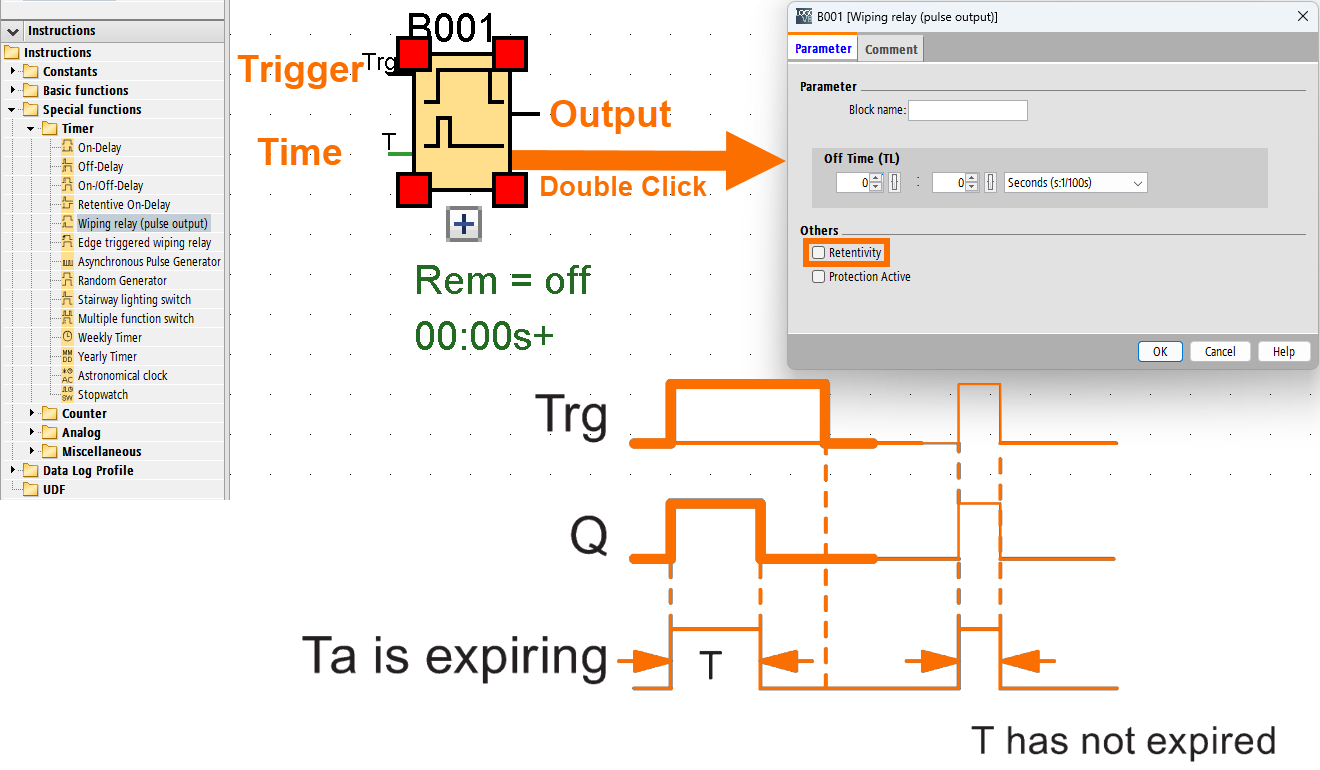
When the Trigger input receives a high signal (0 to 1), the output Q is set to 1 immediately, and the timer begins. The output remains active until the time has passed. When the timer completes the duration set at T, the Q output automatically resets to 0, creating a pulse output.
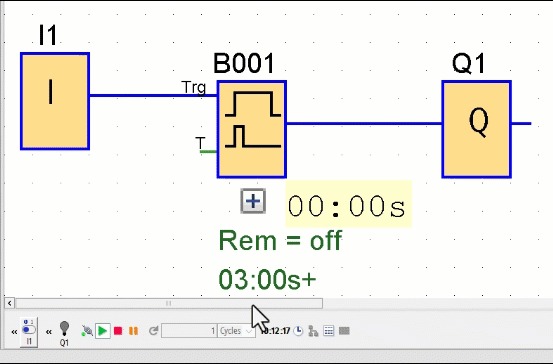
If the signal at the Trigger input switches from 1 to 0 before the timer completes its countdown, the output immediately changes from 1 back to 0.
Edge Triggered Pulse Timer (Edge Triggered Wiping Relay)
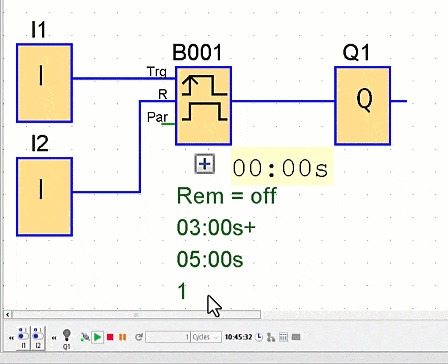
When the delay runs out, the LOGO responds to an input pulse by producing a set number of output pulses based on a defined duty cycle. It can be retriggered. You activate the timing for the edge-triggered wiping relay by applying a signal to the Trigger input terminal. The output and the elapsed time will reset to zero once the Reset input receives a signal. You can fine-tune the pulse width (TH) and the interpulse width (TL) according to your needs. If you turn on retentivity, the LOGO remembers the status in memory.
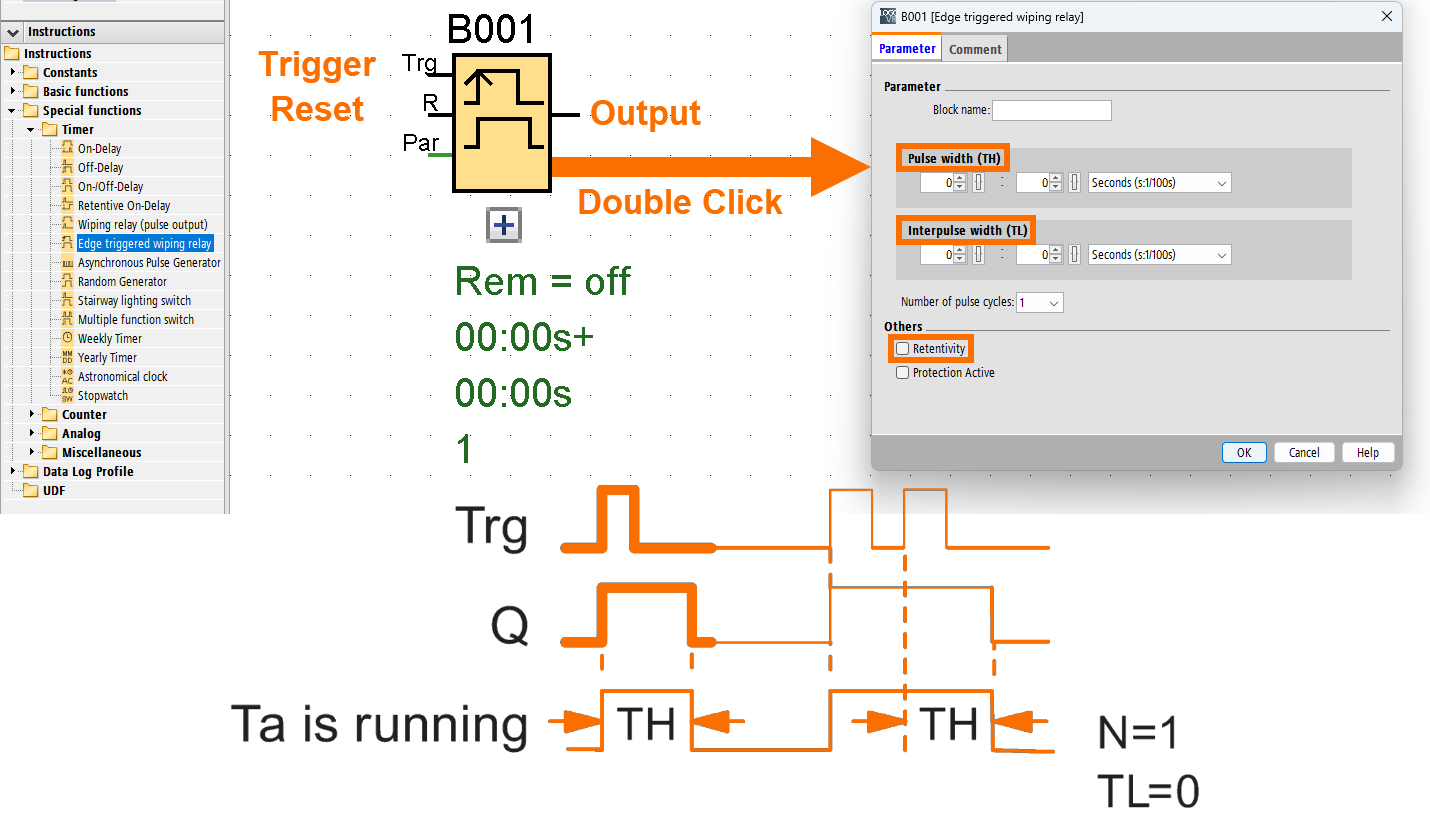
When a signal change occurs at the Trigger input, LOGO begins timing TL (low period). Once TL is complete, the Q output turns on and remains that way for the TH duration (high period).
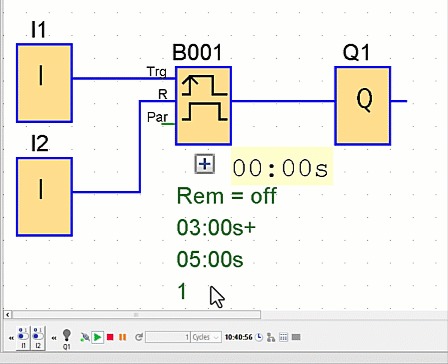
If the Trigger input is activated again before the total time (TH + TL) finishes, LOGO will clear the current timing and initiate a new pulse/pause cycle at once.
Asynchronous Pulse Generator Timer
You can adjust how the output pulse looks by setting a custom pulse-to-pause ratio. The asynchronous pulse generator timer starts or stops based on the signal you apply at the Enable input. If you want the output signal reversed, activate the Invert input while the pulse generator timer runs. You can tweak the TH value for pulse width and TL for interpulse width as needed.
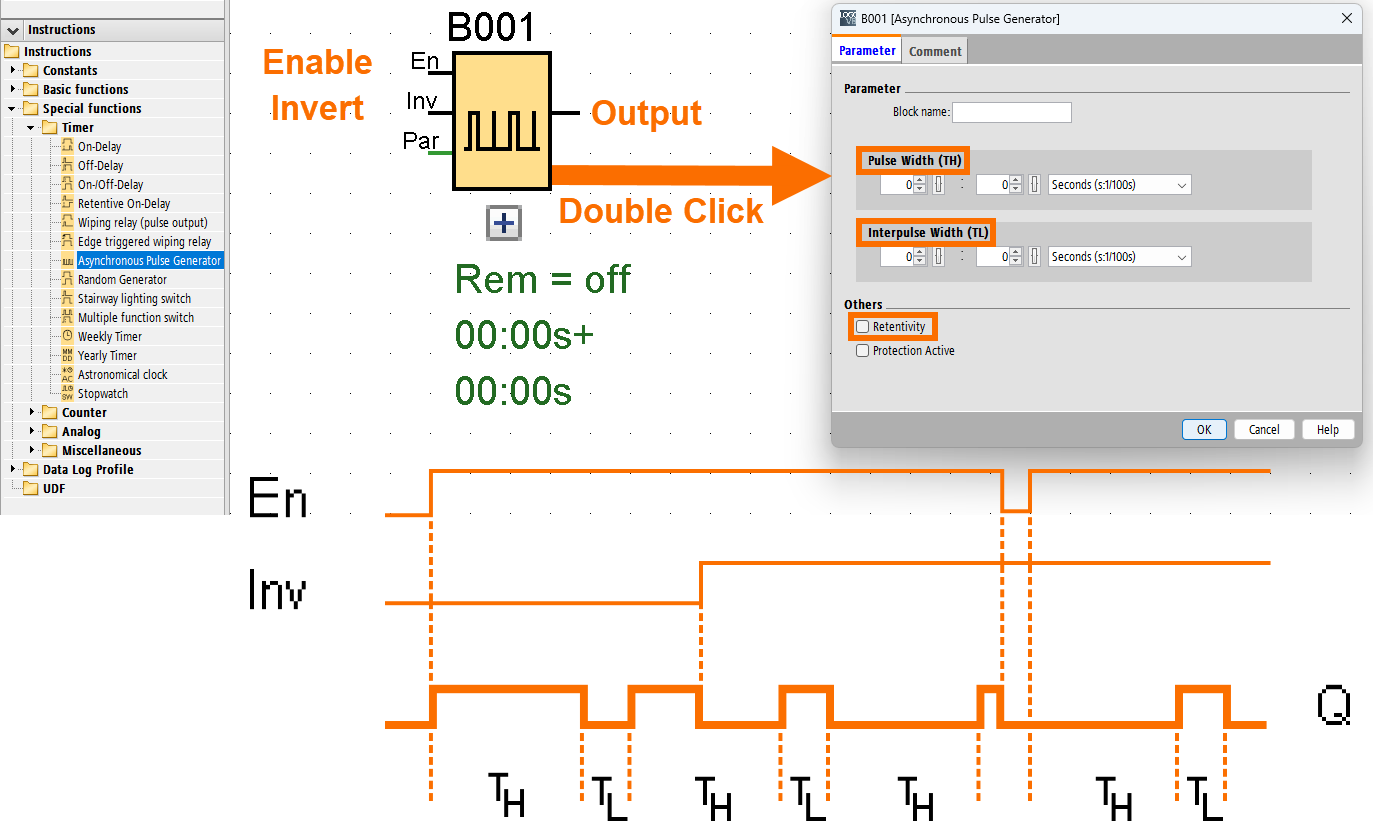
With TH and TL defining the pulse and pause durations, the output toggles on and off repeatedly.
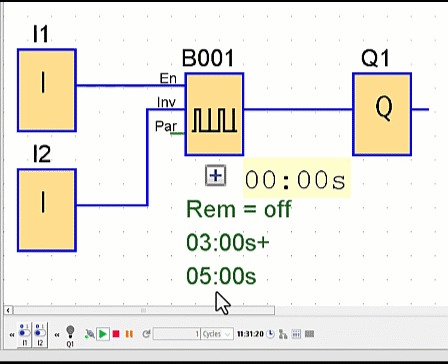
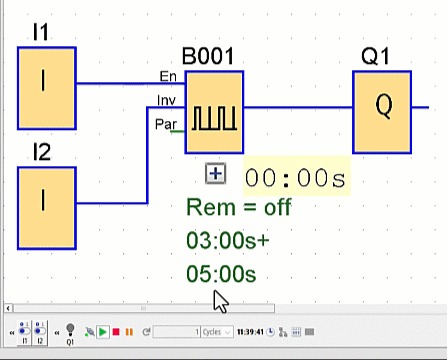
When the Invert input is active, it reverses the output signal. However, the Invert terminal performs this inversion only if the timer has been enabled by applying a signal to the Enable input beforehand.
Random Generator Timer
When the Enable input goes from 0 to 1, the on-delay starts. If it drops from 1 to 0, the off-delay will kick off for the timer. Think of the on-delay as a random number between 0 and TH seconds. The off-delay is selected using the same procedure, randomly falling between 0 and TL seconds.
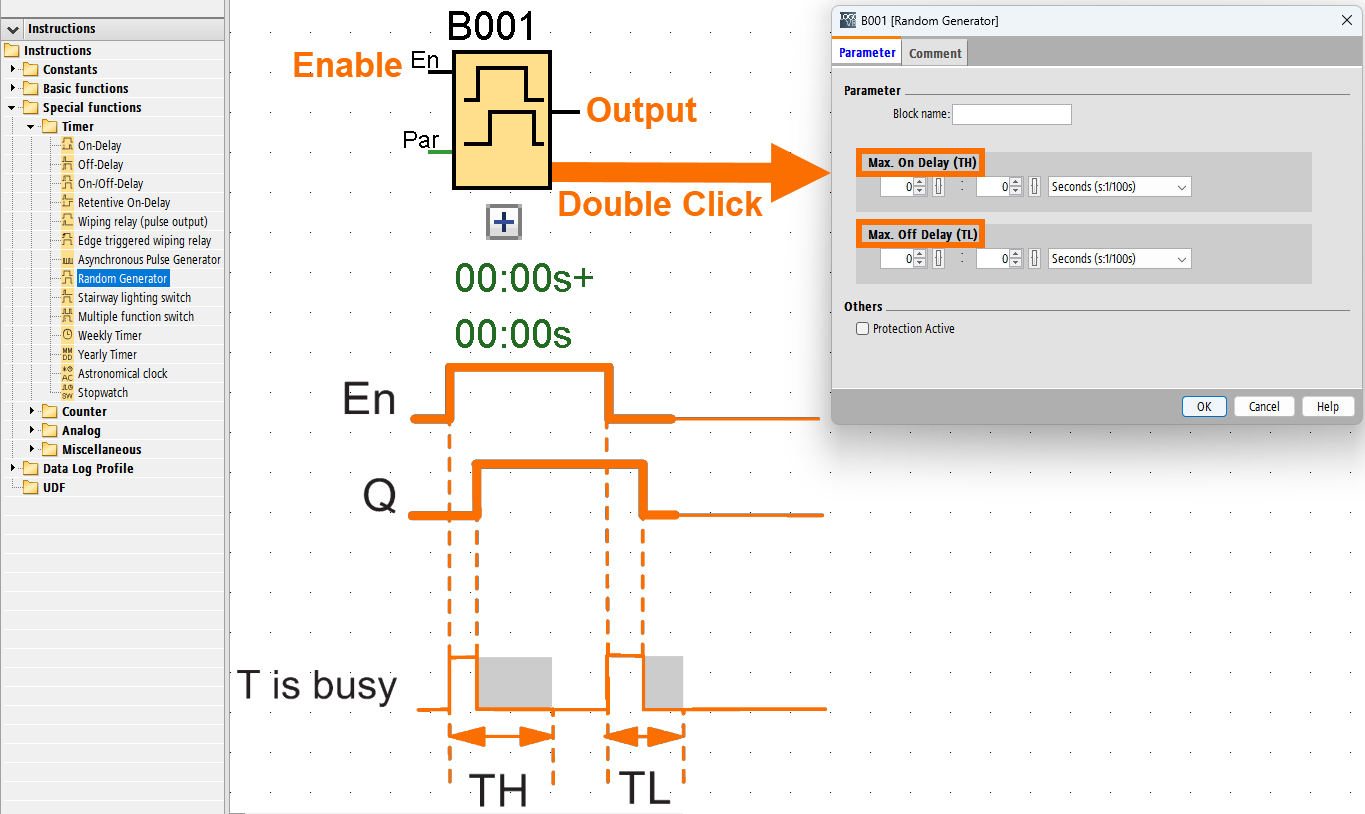
When LOGO detects a 0 to 1 signal change at the Enable input, it activates a random on-delay between 0 and TH seconds. If that Enable signal holds steady during the delay, the output turns on right after the random time runs out.
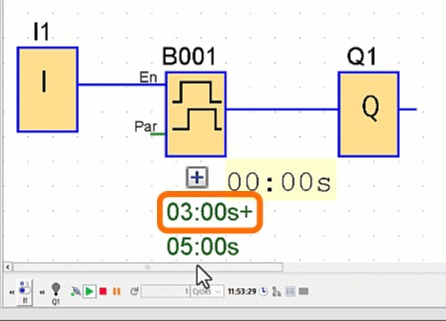
Once the Enable input changes back to 0 before the on-delay time has fully elapsed, the timer is reset, meaning the delay countdown stops and clears, and the output will not be activated.
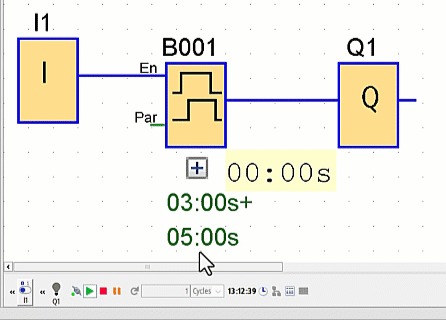
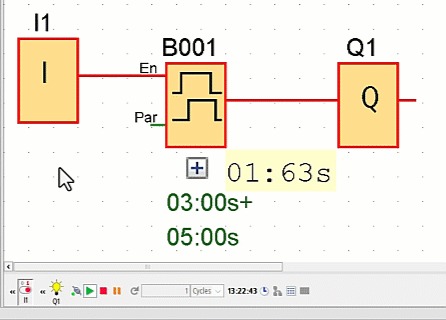
When LOGO sees a False signal at the Enable input, it randomly sets an off-delay between 0 and TL seconds and begins timing. If that False signal remains unchanged during the entire off-delay while the countdown is over, the Q output resets and goes to 0.
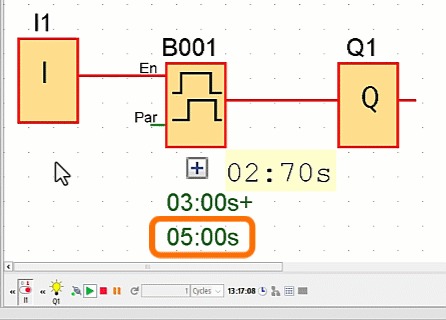
The timer resets if the Enable input switches back to 1 before the off-delay time finishes counting down.
Conclusion
In conclusion, you learned how Siemens LOGO timers orchestrate time-dependent logic in automation. The on-delay timer delays output activation, while the off-delay sustains it post-trigger. The combined on-/off-delay handles both scenarios, and the retentive on-delay preserves timing progress through interruptions. Pulse timers generate fixed-duration signals, edge-triggered variants manage re-triggerable pulses, and asynchronous/random timers add unpredictability or rhythmic patterns. Each timer serves a unique role. You can design systems that respond intelligently to real-world variables by mastering these.


